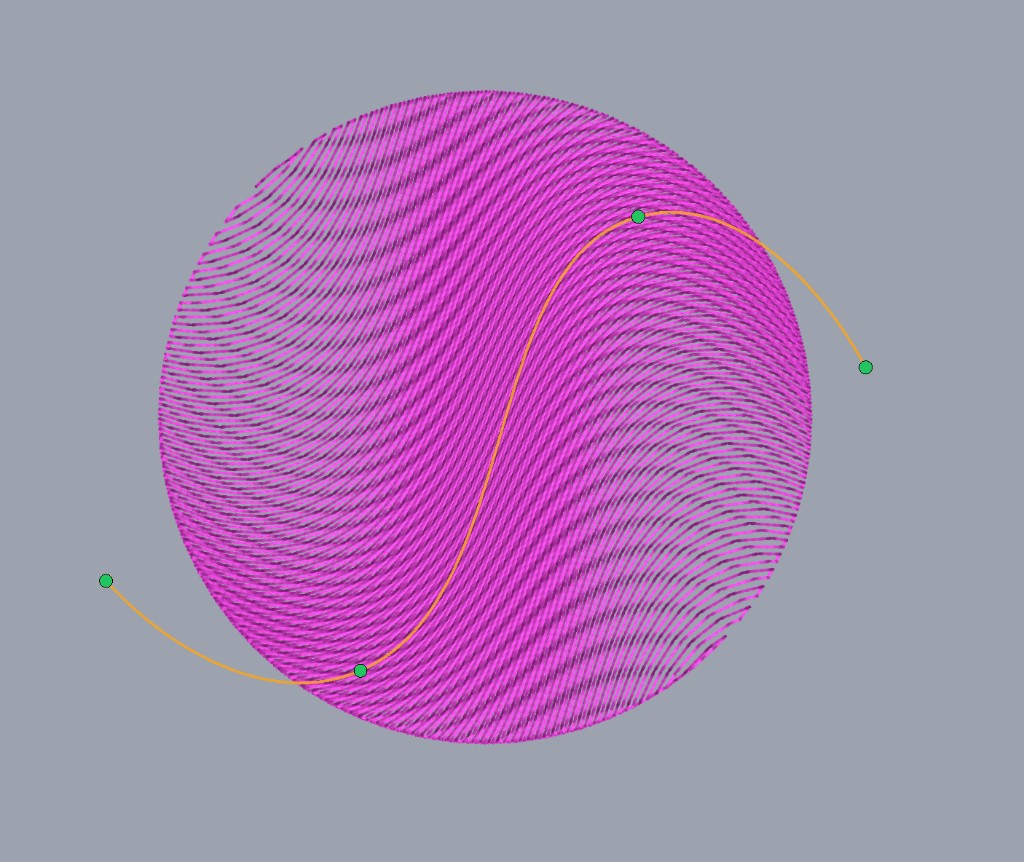
Bend a fill along a curve
Drag a curve through the shape and the fill rows follow it.
Curved angles is in Fill settings for tatami and the other pattern fills. Turn it on and the rows follow a curve through the middle of the shape, instead of one stitch angle. Open Edit angles and drag that curve until the fill bends the way you want.
Gradient, pull compensation, feathering, and skip last stitch work for curved angles too!
Contour, Wave Fill, Streamlines, satin fill, circular fill, and cross stitch keep doing their own thing.