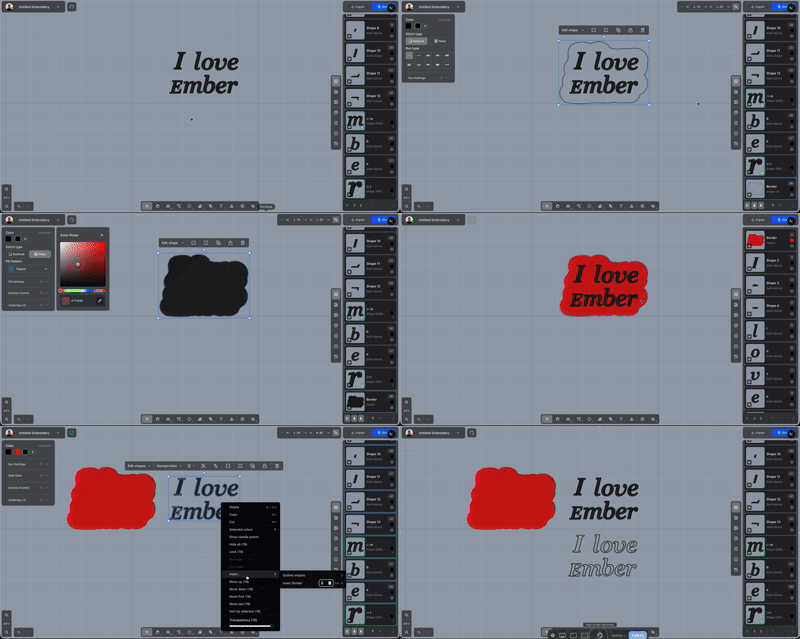
Outline a shape or offset a border
Follow the edge of a selection, or place an outline a set distance away from it.
Select the shapes, then choose Insert from the right-click menu.
Outline shape is Insert Border with the distance at 0. Press O. A hole gets its own run. Shapes that overlap become one outline. Shapes that stay apart each keep their own. The original shapes stay put, and the new runs use your outline defaults.
Insert Border offsets that outline. Press B. A closed shape moves outward. An open path is wrapped on both sides and around the ends. The distance is in millimetres, starts at 4, and keeps the last value you type. Shapes close enough to meet after the offset share one border. Shapes farther apart each get their own. A hole is inset by the same distance.
The new shapes are ordinary outline runs.