A clearer way to size, place, and flip
Open X and Y under the dimensions, and flip from the selection toolbar.
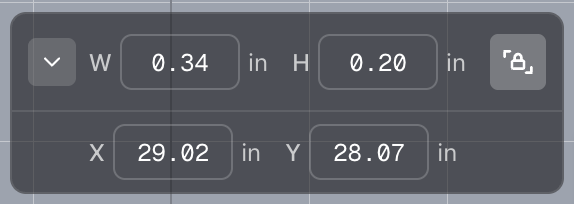
The carrot on the dimensions bar opens X and Y underneath. Change either value to shift the selection, and leave the row open. It stays open the next time you select something.
The lock beside the dimensions is the portrait aspect-ratio icon: closed while width and height stay in proportion, open when you want to change them separately.
Flip horizontal and flip vertical now live on the selection toolbar. For lettering, bold, italic, and underline are in the text style menu next to the font, so the bar stays shorter. Resizing or flipping also stays put instead of flashing to another position and snapping back.
